
Training How-To Connect Domain Name
We create your website but we cannot connect the domain name as it is held in your account with your provider such as Godaddy etc. Below shows the different ways you can connect it yourself. You can connect via the web editor or just make 2 changes in your domain settings. If you need any further help or clarification then please message.
Option 1 - Connect your domain name using website editor. Plus how to add favicon
If you are setup on our website editor then you can easily add your domain name. You should have received login details, if not message us first.
Connect Domain Name
Option 2 - How to connect your Domain Name manually
If you are not using the website editor to connect your domain then to make your website live we need change 2 settings in your domain provider to point your domain name to our website.
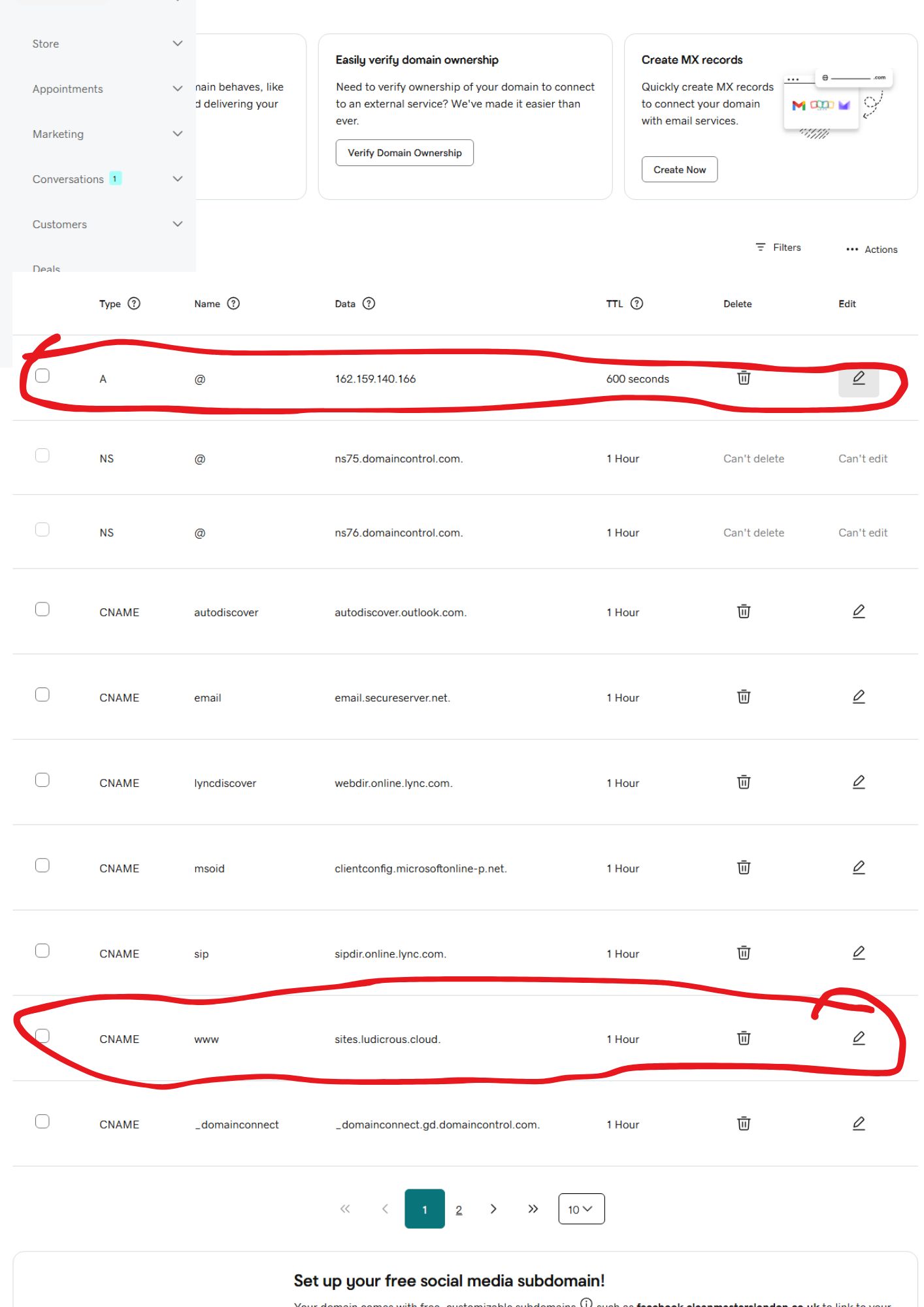
If you login to your domain name provider (godaddy namecheap etc.). The 2 DNS records you need to change in the settings are the A record and the cname record. You will find they usually already exist so you just need to edit them to the values below. If not then create new ones.
Here is a screenshot of Godaddy domain name DNS settings (other providers are similar)
Below are the 2 settings that need changing:-
Record host value
A @ 162.159.140.166
cname www sites.ludicrous.cloud
* Once changed, send us a message so we can connect finalise the setup on your website.
How-To Edit Your Website
Once your website is complete you may find you want to make minor changes yourself. We send you login details so you can access your website via our drag and drop editor. Here are instructions on how to use.
How to Edit your website
How to edit your website using our drag and drop editor.
You can easily change text, images and add/remove items yourself, or feel free to message us if you want us to make changes for you.
Edit your Website